Showing posts with label social network. Show all posts

Friday, March 16, 2018

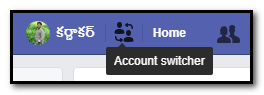
Facebook New Feature : Easy Switch Account

=======Facebook New Feature :  Easy Switch Account=======
         
         Facebook give a new simple feature but it’s very useful. That is Switch account. Actually almost 80% of people accessing their Facebook in Facebook application in mobile only. And some more members using their personal computer with saved password. That means they don’t logout. And no need to enter password again and again.  So the Facebook members will forgot password of them. Almost 50 % of people losing their account because forgot of their password.

So that’s way the Facebook give an wonderful option this is very use full for two are more members using Facebook in one desktop. This option will allow to without logout we can access another account of Facebook.

Friday, February 9, 2018

The 2018 Winter Games are starting!


Facebook Winter Olympics Post


  The 2018 Winter Games are starting!
As the world's greatest athletes compete in South Korea, all of us at Facebook hope that you enjoy the games with friends and family.
        Celebrations of PyeongChang 2018 Olympic Winter Games! You have to share greetings to our athletics, the Facebook give an opportunity to share the Greeting Animation card on your Facebook timeline if you click on my post link there have a share button just click on that. 
This is My Post 
Must wish our all athletics for the winning.share to your family and your friends for watching the games with enjoyments.. 
support all..

......All the Best.....

Thank you 

Wednesday, November 29, 2017

Power Star's Agnathavasi Title Generator With Your Name

This Post especially for Powerstar Pawan kalyan
Jai Pawanism 
Power Star Pawan Kalyan 25Movie Agnathavasi Title Generator With Your Name       
     To Generate Your Name like The font style of Upcoming Power Star Pawan Kalyan's 25th movie AGNATHAVASI. This Style is Very stylish in telugu. if you want to make your name as Style of Agnathavasi English Title Style. Just follow the Below Instructions. 


In this below link you need to Type your Name in the Name Feild. after typing just click Select Style what ever you want there are Presently 3 styles are there. after the selection of your style, Just you need to click on SUBMIT  button that is it. The out of your name will be made like AGNATHAVASI movie font style with Photo of Pawan Kalyan.  The link is given below
GenerateYour Name
In the above link you will get the your name as AGNATHAVASI movie style. If you want another one with another background you can change  your background by click style numbering. And don’t forgot to express your feeling with us. must comment your opinion on my website ..


More....
Thank You
Karnakar
9014819428

Friday, November 3, 2017

WhatsApp Delete for Everyone Feature of Sent Messeges

WhatsApp Delete for Everyone Feature of Sent Messeges
Whats app’s is ready for the new feature that allows users to delete sent messages to everyone, The 'Delete for Everyone' feature is available for individuals and groups, and it is available for different platforms, such as Android, iPhone and Windows Phone. One of the biggest use cases of the Delete for Everyone, that is when you sent to the messages to the wrong chat, or if the messages contents are fails in perfect then it will be very useful to delete the message. Once upon a time the Facebook was announced this feature in the Facebook but unfortunately it was not published but after the Whats app was owned by the Facebook the feature was introduced in the Whats app. If you want to delete the message you need to just tap and hold on the message and it will show the 3 options.. Delete for me , cancel, delete for everyone. In these 3 options you need to select 3 option. If the sent message was deleted in your Whats app receipts Others can see the messages like “ This message was deleted” its means the sender deleted the message. And you need to have chance before 7 minutes sent a message.
How to get WhatsApp 'Delete for Everyone' feature
v  You need to download latest version of Whats app.
v  Tap and hold the message(s) you want to delete
v  Tap the delete icon on the screen
v  Now the dialogue box will show the 3 options Delete for me, cancel, Delete for Everyone\
v  Once you hit the Delete for, the sent message will be replaced with "You deleted this message". 
Download WhatsApp
After the reading the post must comment your opinion and your suggestions, these suggestions and opinions are very good for me and its very important for our website and your service

Reading in Telugu : click here

For more technical information must visit regularly www.rktechnics.com

Wednesday, October 4, 2017

Whats App New Design for Emojis .

WhatsApp New Design Emojis!
Whats app updated their new emojis with the new designs and added some new emojis for the most attractive chatting. but you need to update your whats app application. But this feature now available only for beta users Whats App Version 2.17.364. 
       Don't panic. I am here to give the solution. First of all you need to become A beta tester User, so that you need login your Gmail Account and click on this link Whats App Beta User Registration you got a page like this picture

Simply click on Become A Tester after clicking you are a Tester of Whats App..
Then Go to Play store and Select My Apps & Games from the Left Side Bar, You Got a Option BETA in the My Apps & Games Window Like this Image.→
Then Tap on Whats app messenger and update it .. that’s it ..


Friends Day Video on Facebook

Download WhatsApp 
Enjoy with new design and style of EMOJI
Thank you 

Wednesday, September 27, 2017

Facebook Durga Puja mahotsav

Durga Puja mahotsav


Celebrations of Dussehra. Today the Durgamaataji ka Puja mahotsav started. from this day to 4 days it is the biggest festival like a bloom in the sky fire. enjoy the festival. Facebook Giving the Share Post of Durgamaata Puja. You can also share the animated share post from the below link   

just click on the below link and it will open my post of Puja Post you just click on that and click on share button. that is it.

This is My Post 
Just tap on my post, it was open my post and just tap on share. 

Happy Dussehra.....
Thank you 

Google's 19th Birthday Surprise Spinner


Google's 19th Birthday Surprise Spinner 


Celebrations of Google's 19th Birthday. Google giving a surprise spinner for all. This spinner going to give some knowledge to you and have some games also you can play in the both devices either PC or Mobile. just you need to click the google doodle it will automatically open spinner page. and its spins directly and opt a symbol and going to open that option or spin again. 

Just click on the Add Peace Profile Frame. it will show the preview. After that just clik on ok then it will directly set the profile picture with the frame. Want to write something you can write in your post... 
 I am giving the link of Google Spinner just click below link and open the spinner and know something new.

Google spinner 
Just tap on my post, it was open Google spinner. 

.....Happy Google Anniversary.....
Thank you 

Thursday, September 21, 2017

World Peace Day Facebook Frames


World Peace Day Facebook Frames


Celebrations of World Peace Day! You have to put your profile picture as Peace symbol, The Facebook give an opportunity to put the frame on your profile picture. Like this image showing you. Just click on set a frame on your own profile picture and enjoy the frames. 

Just click on the Add Peace Profile Frame. it will show the preview. After that just clik on ok then it will directly set the profile picture with the frame. Want to write something you can write in your post... 
 I am giving the link of Peace Frame of Face to your profile picture just click Add Peace Profile Frame below link and Set your profile picture with the celebrating Peace Day.

This is My Post 
Just tap on my post, it was open my post and just tap add peace profile frame. 

Happy Peace Day Day.....
Thank you 

Monday, May 29, 2017

Extra Security Features in Facebook

Security and Login in Facebook

In the Facebook there are added some extra security and login features for the future security. Facebook >> settings >> Security and login. In the previous this is the only security option which has to change the password for the Facebook account but now it’s totally changed and added some extra features with the sub menu. Now in this Security and Login menu there are some wonderful options which is used for ever .
You can see these settings by the below link :  
Security and Login link
They are
1.      You're Logged In            : Devices you logged in and out
2.      Login                                 : Change password and picture login
3.    Extra Security                 :  notifications, Step Two-factor login, Trusted Contacts
4.      Advanced Encryption    : Encrypted notification emails
You can saw the image which had what are the options available in these categories


Saturday, May 13, 2017

WhatsApp Brought new ‘Pinned chats’ feature

WhatsApp Brought new ‘Pinned chats’ feature
WhatsApp has been going to give more and more features to convenient to the WhatsApp users. The Facebook was owned this application since two years. And we know what the Facebook in the world is. And how many users are using the Facebook. Therefore they owned this application because this application also have almost lot of members. And those peoples don’t have Facebook account but then have WhatsApp because it’s a mobile application and it’s convenient to communication to others. 
This also means that the similar application for numerous notifications on your Mobile smart phones. Messages from contacts and groups like family, friends, but it’s very hard to keep the important messages from the important contacts. In the past starred messages was came but it’s not using so many peoples. In order to solve the issue, WhatsApp going to give you the ability with the feature of pinned chats. Pin those contacts on the top of the list of WhatsApp. WhatsApp gives to the users, the ability to pin up to best three conversations (chats) at the top of the list.
How can you pin a chat at the top?
 It is very simple you need to do open the WhatsApp and tap-hold on the selected or wanted chat. After this, you will get a pin icon on the top like a pin icon. Just tap on the pin option and the chat will move at the top of the list. And you can pin the three conversation (Groups or personal chats) at the top of the list. you can download whats app with the pin feature from the below link. you can download from this. 

   If you want to unpin a particular group of chat similarly tap and hold the group or chat conversation and similarly you will get the icon like crossed pin and just click on that. That’s it. Then the chat will get down from the pinned chats. and have to pin another chat. the unpin post is used for the important conversation is ended.


for more keep visit RKtechnics
Rayarakula Karnakar 
9014819428

Wednesday, May 10, 2017

Buddha Purnima Greetings from Facebook

Buddha Purnima Greetings from Facebook
“All of us at Facebook extend warm wishes to Buddhists around the world as you honor the birth, enlightenment and passing of Buddha.”
Facebook Greetings for the festival and celebration of Buddha Poornima on today. Today is the Buddhist festival that marks Gautama Buddha's birth, enlightenment and death.It falls on the day of the full moon in May and it is a gazetted holiday in India. .


           So then share to your greetings to your friends. Just click on below my post link and share to click on share button and share to your timeline 


My post
 Note: My post link is the post of mine.  and some more post like this please keep visit www.rktechnics.com or contact me 9014819428

Monday, May 8, 2017

New tools to shape Comments in Youtube

New tools to shape Comments in YouTube
1)                    Pinned comments: Show the Popular comment in the 1st to promote the
          comment section. This comment will help to you to  attract others
2)                   Creator hearts (Love Symbol) : Show the some heart lovable comments.
          This is the better way to comments from your community
3)                   Creator usernames: when you comment on your channel or video
          comments, your username will appear under the text with a pop of color
          around it so your viewers can easily identify the that comment is coming
           from you. If you are a verified creator, you will still have a verification
          checkmark appear beside your name.
4)                  Choose moderators: This feature is enabled in this year. This is the best
           way to maintain comments section . give permission to others called
            moderation they can maintain comments like remove the others spam
            comments
5)                   Blacklist phrases and words: You can block some words which is not
           proffered. The some words are very bad words or any violence words. These
           words fully blocked. You can block those words in the black list
6)                  Review of Hold potentially inappropriate comments:  This is
            introduced in this year. This is now in developing mode (Beta feature). If it
            is successful then it’s going to introduce in the all users
. It is  recognize  the
            algorithms will not always be accurate: the beta feature may hold some
            comments you deem fine for approval, or may not catch comments you did
            like to hold and remove. When you review comments, the system will take
            that feedback from account to into the account and get best at identifying
            the comments hold for review

Sunday, May 7, 2017

SSC 10 th Class Results Available | Andhra Pradesh

SSC 10 th Class Results Available Here
Download SSC Results
Telangana State Secondary school of certificate ,Hyderabad


The SSC 10 th class Results out Today 06-05-2017. So if you want to See Your Results you can See from the official website of SSC state board of Telangana. Results available. Here

Results
SSC Results Click Here
For More Vist Website : Official Website
Hurry Up !
Thank You 

 Rayarakula Karnakar 
9014819428
rayarakula.karnakar@gmail.com

Tuesday, May 2, 2017

Summer Shopping Days

Flipkart announces Wonderful offers for all products


Flipkart announces summer special offers for all products. And axis Bank offers. Extra 5% off on EMI on Cards, terms and conditions apply


And if you want to buy any some new products then this is the perfect time to buy some products. then why are you waste time search in the flipkart and choose some products ad to your kart.
And go though the payment . if you want to pay the amount when delivery then select cash on delivery and confirm it. Then ready to go with the click of below website link. do not go any other fake website please click below verified link 


Flipkart Website


Tuesday, April 18, 2017

Background Color in Facebook Post in PC

Background Color in Facebook Post in PC

Background Color of Facebook post is arrived in the Computer PC also. this is simple to post with the background color just click on whats on your mind, then choose an option of Background Color with the icon of Aa. there are almost 8 different colors. just choose any color and write post and post.
              Note: This Background color is not worked when you posted an Image or any Long matter or any links.